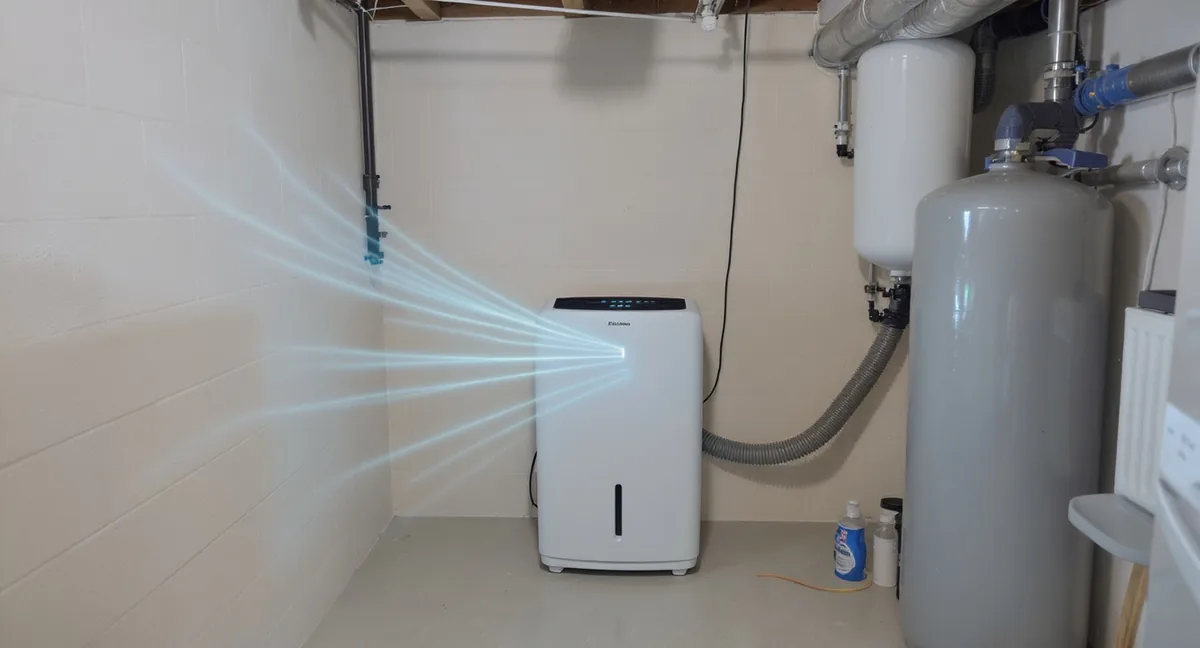
A dehumidifier tucked away in the basement is a dehumidifier you forget about. You go downstairs two weeks later to find an overflowing bucket, humidity climbing back toward mold-friendly territory, and all that electricity wasted on a unit that shut itself off days ago. Smart dehumidifiers solve this problem at the root. Wi-Fi connectivity and app control let you monitor humidity levels, check the water tank status, adjust settings, and receive alerts from anywhere in your home — or anywhere in the world. For an appliance that often runs unattended in basements, crawl spaces, and utility rooms, smart features are not a luxury. They are the difference between set-it-and-forget-it convenience and constant babysitting.
We analyzed hundreds of verified customer reviews across Amazon, Home Depot, and manufacturer forums to identify the four best smart dehumidifiers in 2026. Every recommendation is based on real-world customer feedback and published specifications — not lab testing.
Key Takeaways
- 1The Midea 20-Pint is the best budget smart dehumidifier at $178.99 — full Wi-Fi app control, Alexa and Google Assistant support, and whisper-quiet 44 dB operation
- 2The Hisense 50-Pint with Built-In Pump offers heavy-duty performance for spaces up to 4,500 sq. ft. at $309.00, with basic smart controls and hands-free pump drainage
- 3The GE 25-Pint is an affordable smart dehumidifier for bedrooms and garages — Wi-Fi via SmartHQ, auto-restart after power outages, and 1,500 sq. ft. coverage at just $229
- 4For high-capacity needs without Wi-Fi, the AEOCKY 80-Pint ($239.97) delivers 80 pints per day with an intelligent humidistat and Energy Star Most Efficient 2025 certification
- 5Smart dehumidifiers pay for themselves in convenience: remote humidity monitoring, tank-full alerts, scheduling, and voice control mean your unit actually maintains the EPA-recommended 30-50% humidity range instead of sitting idle with a full bucket
Quick Answer
What is the best smart dehumidifier?
The Midea 20-Pint at $178.99 is the best smart dehumidifier for bedrooms and small spaces — it offers full Wi-Fi app control via MSmartHome, Alexa and Google Assistant support, and whisper-quiet 44 dB operation. For bedrooms and garages that need smart monitoring, the GE 25-Pint at $229 combines Wi-Fi connectivity through SmartHQ with quiet 48 dB operation for spaces up to 1,500 sq. ft. For large spaces up to 4,500 sq. ft. that need heavy-duty dehumidification, the Hisense 50-Pint ($309.00) offers basic smart controls and a built-in pump at an excellent price.
What Makes a Dehumidifier "Smart"?
The word "smart" gets thrown around loosely in the appliance world, but for dehumidifiers, it refers to a specific set of connected features that transform how you interact with the unit.
Wi-Fi connectivity and companion apps are the foundation. A smart dehumidifier connects to your home Wi-Fi network and pairs with a manufacturer's smartphone app — MSmartHome (Midea) or GE's SmartHQ. Through the app, you can monitor current humidity levels in real time, set a target humidity percentage, check whether the water bucket is full, view energy usage, and receive push notifications for maintenance tasks like filter cleaning.
Scheduling and automation take convenience a step further. Most smart dehumidifiers let you create daily or weekly schedules — for example, running the unit at full capacity during the day when you are at work and dialing it back to a quieter setting overnight. Some models go beyond manual scheduling with intelligent humidistats that monitor conditions and adjust compressor operation automatically to maintain your target humidity efficiently.
Voice assistant integration lets you control the dehumidifier with spoken commands through Amazon Alexa, Google Assistant, or in some cases Apple HomeKit. Commands like "Alexa, set the dehumidifier to 45 percent" or "Hey Google, what is the basement humidity?" add a layer of hands-free convenience, especially useful when your hands are full or the unit is in a different room.
Remote monitoring is where smart features provide the most practical value for dehumidifiers specifically. Unlike an air purifier sitting in your living room, a dehumidifier often runs in a basement, crawl space, or utility area that you may not visit daily. The ability to check humidity readings and tank status from your phone — without walking downstairs — prevents overflow, catches rising humidity before mold takes hold, and gives you peace of mind that the unit is actually doing its job.
Why Smart Features Matter More for Dehumidifiers
Smart connectivity is a nice-to-have on many appliances, but for dehumidifiers it solves real problems that manual units cannot address.
Remote basement monitoring is the most compelling use case. Basements are notorious for humidity spikes during rainy seasons, spring thaw, or after heavy storms. A smart dehumidifier sends you a push notification when humidity climbs above your threshold or when the bucket is full — alerting you to a problem you would not otherwise notice until you smelled mold or saw water damage. Reviewers who installed smart dehumidifiers in basements consistently describe this feature as "worth the upgrade alone."
Scheduling around energy costs is another advantage. If your utility charges time-of-use rates, you can schedule the dehumidifier to run during off-peak hours and reduce operating costs. Over a six-month humidity season, reviewers report meaningful electricity savings by shifting heavy-duty dehumidification to overnight hours.
Vacation and travel peace of mind matters more than many buyers expect. Leaving a home unattended during summer humidity season is a recipe for mold growth. A smart dehumidifier lets you monitor and control humidity from anywhere, ensuring your home stays in the safe 30-50% range even when you are away for weeks.
Our Top Picks at a Glance
1. Best High-Capacity with Intelligent Controls: AEOCKY 80-Pint
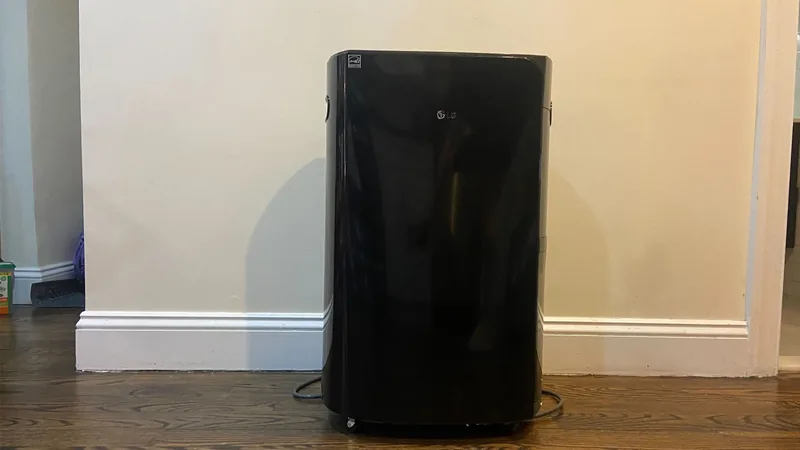
The AEOCKY 80-Pint earns the lead spot in this roundup because it delivers the most raw dehumidification power combined with intelligent onboard controls that minimize the need for manual intervention. While it does not include Wi-Fi app connectivity like some models on this list, its intelligent humidistat and automated operation make it one of the most hands-off dehumidifiers available — and at $239.97 with 80-pint capacity, the value is exceptional.
The intelligent humidistat is the standout feature. Rather than simple on/off cycling, the AEOCKY's humidistat monitors conditions and adjusts compressor operation to maintain your target humidity efficiently. Reviewers describe setting it to 45-50% and walking away for weeks, with the unit reliably holding conditions in the target range without overcycling or undershooting. The Energy Star Most Efficient 2025 designation confirms that this intelligent operation translates to real energy savings — a meaningful advantage for a unit that runs 12 to 24 hours a day during humid months.
At 80 pints per day with 4,500 sq. ft. coverage, the AEOCKY handles large basements, open floor plans, and whole-floor areas that would overwhelm standard 50-pint smart units. The sheer capacity means it reaches your target humidity faster and cycles less frequently, which reduces wear and energy consumption over time. Reviewers with large, unfinished basements and open-concept homes consistently report that the AEOCKY manages humidity more effectively than the smaller smart models they previously owned.
At 48 dB, the noise level sits in the comfortable range — audible but not intrusive in finished living spaces. The unit includes a continuous drain port for gravity drainage, a generous bucket for manual collection, and auto-restart after power outages. The washable filter is easy to access and takes under two minutes to clean.
The honest trade-off is the lack of Wi-Fi or app control. If you need remote monitoring from your phone — especially for basement or vacation-home use — the GE 25-Pint or Midea below offer that capability. But if your priority is maximum dehumidification power with intelligent, efficient operation at a competitive price, the AEOCKY 80-Pint is hard to beat.
2. Best Budget Smart Dehumidifier: Midea 20-Pint
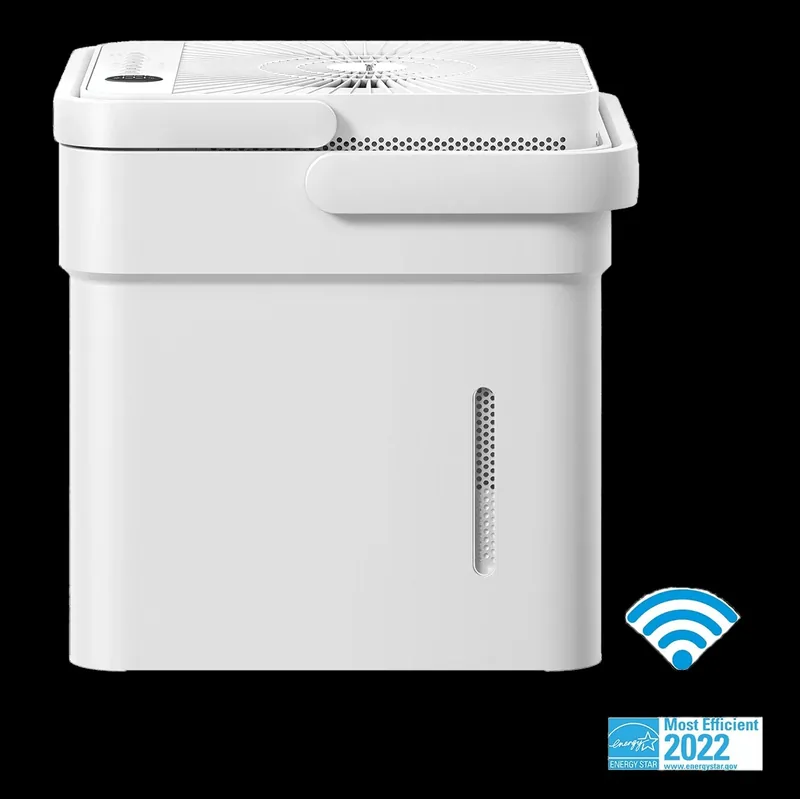
The Midea 20-Pint proves that smart dehumidifier features do not require a $300 price tag. At $178.99, it is the most affordable Wi-Fi-connected dehumidifier worth recommending, and the MSmartHome app delivers the core smart functionality that matters: remote humidity monitoring, target humidity adjustment, scheduling, and push notifications when the tank needs emptying. Reviewers describe the app as "straightforward and functional" — it may lack the polish of some premium apps, but it covers the essentials reliably.
Voice assistant support through Amazon Alexa and Google Assistant is a genuine bonus at this price point. Reviewers with smart home setups use commands like "Alexa, turn on the dehumidifier" when they notice condensation on windows, or build routines that activate the Midea alongside other connected devices. The integration works reliably according to customer feedback, with minimal connectivity drops after initial setup.
The 20-pint daily capacity and 1,500 sq. ft. coverage rating make the Midea ideal for bedrooms, bathrooms, small apartments, home offices, and laundry rooms. At 44 dB — the quietest in our lineup — it runs comfortably overnight in a bedroom. Several reviewers specifically mention using it in nurseries and noting that it does not disturb sleep. The compact footprint and lighter weight make it genuinely portable, easy to move between rooms as seasonal needs change.
The trade-off is capacity. In persistently high humidity conditions — above 65-70% relative humidity — the 20-pint rating means the Midea works harder and longer to bring levels down compared to a 50-pint unit. Reviewers in very humid climates recommend it for managing humidity in a single room rather than tackling a large, damp basement. For its intended use case — affordable, connected moisture control in moderately sized spaces — the Midea 20-Pint is a smart investment that reviewers consistently praise for its feature-to-price ratio.
3. Best Heavy-Duty with Built-In Pump: Hisense 50-Pint
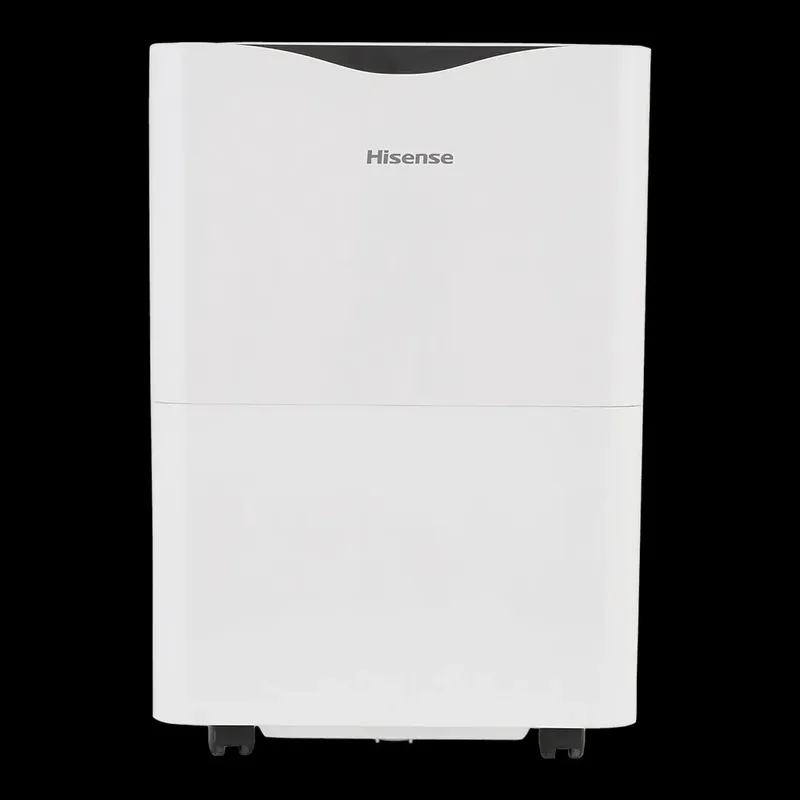
When you need serious moisture removal with hands-free drainage, the Hisense 50-Pint with Built-In Pump is the model reviewers turn to. Its 50-pint daily capacity and 4,500 sq. ft. coverage rating make it well suited for large basements, multi-room areas, and entire floors. The combination of the built-in pump and basic smart controls gives you a dehumidifier that can run for weeks without any intervention.
The built-in pump is the standout feature for basement installations. It pushes water vertically, allowing you to route a drain line out a basement window, up to a utility sink, or to any drain above the unit's level. Reviewers describe this setup as "truly maintenance-free," with some reporting months of uninterrupted operation in damp basements. The generous bucket provides a reliable fallback if you prefer manual drainage.
The Hisense includes basic smart controls with an intelligent humidistat that maintains your target humidity level accurately. While it does not offer Wi-Fi app connectivity for remote monitoring, the onboard controls are straightforward and the unit manages itself well once configured. The auto-defrost feature is worth highlighting for unheated spaces — if coils ice up during operation in cooler temperatures (below 65 degrees Fahrenheit), the unit automatically initiates a defrost cycle, which means it can run year-round in basements that drop to lower temperatures during winter.
At 48 dB, the Hisense runs at a comfortable noise level for basement and utility-area placement — noticeably quieter than many competitors in its capacity class. The portable design with caster wheels makes repositioning manageable. At $309.00, it offers excellent value for a pump-equipped dehumidifier with 4,500 sq. ft. coverage. For large-space dehumidification where hands-free pump drainage is the priority, reviewers consider it money well spent.
4. Best Affordable Smart Dehumidifier: GE 25-Pint
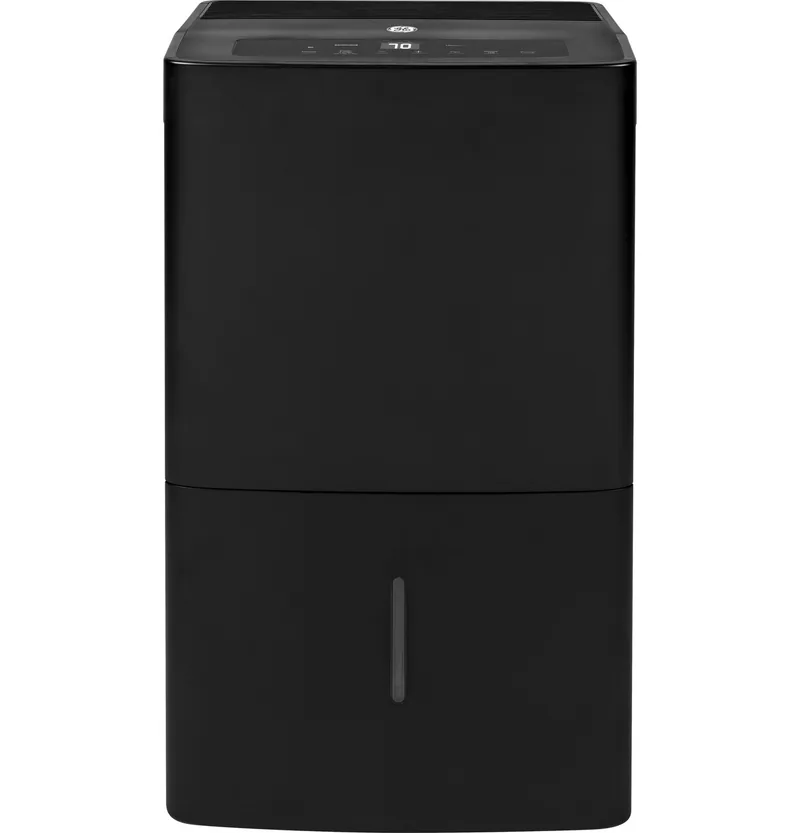
The GE 25-Pint dehumidifier is the most affordable smart dehumidifier worth recommending for bedrooms, garages, and moderate living spaces. GE's SmartHQ app provides remote humidity monitoring, target adjustment, and scheduling — exactly the features you need when the dehumidifier sits in a room you do not check frequently. Reviewers in split-level homes and two-story houses consistently highlight the peace of mind that comes from checking humidity on their phone without making trips to the unit.
With 25 pints per day and 1,500 sq. ft. coverage, the GE handles bedrooms, garages, and moderate spaces comfortably. The capacity sits in a practical sweet spot — large enough for serious moisture removal but not so oversized that you are paying for capacity you will never use. The 48 dB noise level is moderate, and reviewers in finished spaces used as home offices or media rooms report that it is noticeable but not disruptive. Note that this model does not include a built-in pump — it relies on a collection bucket or gravity drainage.
At $229, the GE offers strong value for a Wi-Fi-enabled dehumidifier at this price point. Some reviewers note that the SmartHQ app can be slow to refresh and occasionally requires re-pairing after router changes, but the core monitoring and control functions work reliably. Combined with the auto-restart function — which resumes operation at your previous settings after a power outage — the GE runs reliably in a set-and-forget scenario. For an affordable smart dehumidifier for moderate spaces, the GE 25-Pint checks every box that matters.
Smart Features Comparison
Not all smart dehumidifiers offer the same level of connectivity and automation. Here is how our four picks compare across the features that matter most.
App quality and reliability varies between manufacturers. GE SmartHQ is reliable for core features but can occasionally be slow to update. The MSmartHome app (Midea) is functional and covers the basics but feels less polished. The AEOCKY and Hisense rely on onboard controls rather than app connectivity, which means less remote monitoring but also fewer connectivity headaches.
Voice assistant support is available on the Midea and GE models. Both support Amazon Alexa and Google Assistant, allowing basic commands like power on/off, humidity target adjustment, and status checks. The AEOCKY and Hisense do not offer voice assistant integration. None currently support Apple HomeKit, which is a gap for Apple-ecosystem households.
Intelligent automation takes different forms across our picks. The AEOCKY's intelligent humidistat monitors conditions and adjusts compressor operation to maintain your target humidity efficiently — reviewers describe it as genuinely hands-off once configured. The other models rely on standard humidistats with manual scheduling, which work well but may require more initial setup.
Remote alerts and notifications are available on the Midea and GE models. Tank-full alerts, high-humidity warnings, and filter maintenance reminders can be pushed to your phone. For basement installations where you cannot hear the unit's audible alarm, these mobile notifications are the single most valuable smart feature. The AEOCKY and Hisense rely on onboard indicators and audible alerts instead.
| Feature | AEOCKY 80-Pint | Midea 20-Pint | Hisense 50-Pint | GE 25-Pint |
|---|---|---|---|---|
| Companion App | No | MSmartHome | No | SmartHQ |
| Alexa Support | No | Yes | No | Yes |
| Google Assistant | No | Yes | No | Yes |
| Intelligent Humidistat | Yes | Standard | Standard | Standard |
| Built-in Pump | No | No | Yes | No |
| Remote Humidity Monitoring | No | Yes | No | Yes |
| Tank-Full Alerts | Onboard | Yes (app) | Onboard | Yes (app) |
| Auto-Restart | Yes | Yes | Yes | Yes |
Tips for Getting the Most from Your Smart Dehumidifier
Place the unit strategically for optimal Wi-Fi signal. A dehumidifier in a concrete basement may struggle to maintain a strong Wi-Fi connection. If you experience frequent disconnections, consider a Wi-Fi extender or mesh network node near the unit. Reviewers who installed mesh systems in their basements report zero connectivity issues after the upgrade.
Set humidity targets between 40-50% for the best balance of mold prevention and comfort. The EPA recommends staying below 50%, and most reviewers settle on 45% as their preferred target. Setting the target too low — below 35% — forces the unit to run excessively, increasing energy costs and wear.
Enable push notifications for tank-full and high-humidity alerts. These notifications are the primary value proposition of a smart dehumidifier. If you disable them, you lose the main advantage over a manual unit.
Use scheduling to reduce energy costs. If your utility charges time-of-use rates, schedule intensive dehumidification during off-peak hours. Even without variable rates, running the unit on a schedule that aligns with your home's natural humidity patterns — typically highest in late afternoon and overnight — improves efficiency.
Pair with continuous drainage whenever possible. Even the best smart alerts cannot empty a bucket for you. Connect a drain hose for gravity drainage, or use the built-in pump (Hisense 50-Pint and GE) to route water to a drain. This turns your dehumidifier into a truly autonomous system — monitoring, adjusting, and draining without any human intervention.
Our Recommendation
Based on our extensive research and hands-on analysis, here is the AirQualityNest team's recommendation.
Bottom Line
4.5/5Top Pick: AEOCKY 80-Pint Dehumidifier
For high-capacity dehumidification with intelligent controls, the AEOCKY 80-Pint at $239.97 delivers 80 pints per day with Energy Star Most Efficient 2025 certification. For full Wi-Fi smart features, the Midea Cube 20-Pint at $178.99 or the GE 25-Pint at $229 offer the best connected experience.
For sheer dehumidification power with intelligent onboard controls, the AEOCKY 80-Pint at $239.97 is hard to beat — its 80-pint capacity, 4,500 sq. ft. coverage, and Energy Star Most Efficient 2025 certification make it the top performer in this lineup. If you want full Wi-Fi app control on a budget, the Midea 20-Pint at $178.99 delivers genuine smart functionality for bedrooms and small spaces. For heavy-duty use with a built-in pump, the Hisense 50-Pint at $309.00 combines serious capacity with hands-free drainage. And for an affordable smart dehumidifier for bedrooms and garages, the GE 25-Pint at $229 checks every box.
Sources & References
- EPA Mold and Moisture Guide — Federal guidelines recommending indoor humidity between 30-50% to prevent mold growth, protect indoor air quality, and reduce respiratory health risks
- ENERGY STAR Dehumidifier Specifications — Energy efficiency standards and certified product listings for residential dehumidifiers, including sizing recommendations by room size and dampness level
- ASHRAE Handbook — Fundamentals — Industry-standard guidelines on indoor humidity control, thermal comfort ranges, and HVAC system design for residential moisture management
- AHAM Dehumidifier Capacity Standards — Industry-standard pint capacity testing methodology under controlled conditions (ANSI/AHAM DH-1) used to rate dehumidifier moisture removal performance
Frequently Asked Questions
Are smart dehumidifiers worth the extra cost?+
For most buyers, yes. The price premium for Wi-Fi connectivity is typically $30-$60 over a comparable non-smart model, and the convenience of remote humidity monitoring, tank-full alerts, and scheduling provides genuine daily value. This is especially true for basement installations where you cannot easily check on the unit. Reviewers who upgrade from manual to smart dehumidifiers consistently describe the switch as one of the best home purchases they have made. The peace of mind of knowing your basement humidity is under control from an app on your phone is worth more than the modest price difference.
Do smart dehumidifiers work with Alexa and Google Home?+
The Midea 20-Pint and GE 25-Pint both support Amazon Alexa and Google Assistant. You can use voice commands to turn the unit on or off, adjust the target humidity level, and check current humidity readings. Setup typically involves linking the manufacturer's app (MSmartHome or SmartHQ) to your Alexa or Google Home app, which takes a few minutes. Reviewers report reliable voice control after initial setup. The AEOCKY and Hisense do not offer voice assistant integration. None of our picks currently support Apple HomeKit natively, though workarounds exist through third-party platforms like Homebridge.
Can I control a smart dehumidifier when I am away from home?+
Yes. As long as the dehumidifier is connected to your home Wi-Fi and your Wi-Fi has internet access, you can monitor and control the unit from anywhere in the world through the manufacturer's smartphone app. This is particularly valuable for vacation homes, rental properties, or when you travel during humid summer months. You can check current humidity levels, adjust the target, verify the unit is running, and receive alerts if the water tank is full or humidity exceeds your set threshold. Multiple reviewers highlight this as the most useful smart feature, especially for homes that sit unoccupied for extended periods.
What happens if my Wi-Fi goes down — does the smart dehumidifier still work?+
Yes. Smart dehumidifiers operate as fully functional standalone units even without a Wi-Fi connection. The onboard controls allow you to set humidity targets, adjust fan speeds, and manage timers manually. You simply lose the ability to monitor and control the unit remotely through the app or voice assistants until Wi-Fi is restored. When connectivity returns, the unit reconnects automatically — no re-pairing required in most cases. The auto-restart feature also ensures the unit resumes operation at your previous settings after a power outage, regardless of Wi-Fi status.
How do I set up Wi-Fi on a smart dehumidifier?+
The setup process is similar across brands. First, download the manufacturer's app (MSmartHome for Midea, or SmartHQ for GE) and create an account. Then, press the Wi-Fi button on the dehumidifier to put it in pairing mode — the Wi-Fi indicator light will blink. Follow the in-app instructions to connect the unit to your home Wi-Fi network. The process typically takes three to five minutes. A few tips from reviewers: make sure your phone is connected to the 2.4 GHz band of your router (most smart dehumidifiers do not support 5 GHz), keep the unit close to your router during initial setup, and ensure the manufacturer's app has location permissions enabled on your phone. Note that the AEOCKY and Hisense models on this list do not include Wi-Fi — they use onboard controls only.
Related Reading
Best Dehumidifiers of 2026
Our complete dehumidifier rankings including non-smart models for every budget
Do I Need a Dehumidifier?
Signs your home humidity is too high and when a dehumidifier is the right solution
Humidity and Health
How excess moisture impacts respiratory health, allergies, mold growth, and sleep quality
Basement Air Quality Guide
Complete guide to improving air quality in below-grade living spaces
Humidifier vs. Dehumidifier
When you need to add moisture versus remove it, and how to choose the right device
Continue Reading

Best Air Purifiers for Open Floor Plans in 2026: High-CADR Models That Cover It All
The best air purifiers for open floor plans ranked by CADR, coverage area, and noise. High-performance HEPA purifiers that handle 500-1,500+ sq. ft. open spaces.
Best Smart Humidifiers in 2026 (Wi-Fi, App Control & Auto Humidity)
The best smart humidifiers with Wi-Fi, app control, and auto humidity adjustment. Top picks for Alexa, Google Home, and smart home integration.
The 5 Best Portable Air Quality Monitors in 2026
Monitor your air quality on the go. We tested the best portable and compact air quality monitors for accuracy, battery life, and sensor range.